
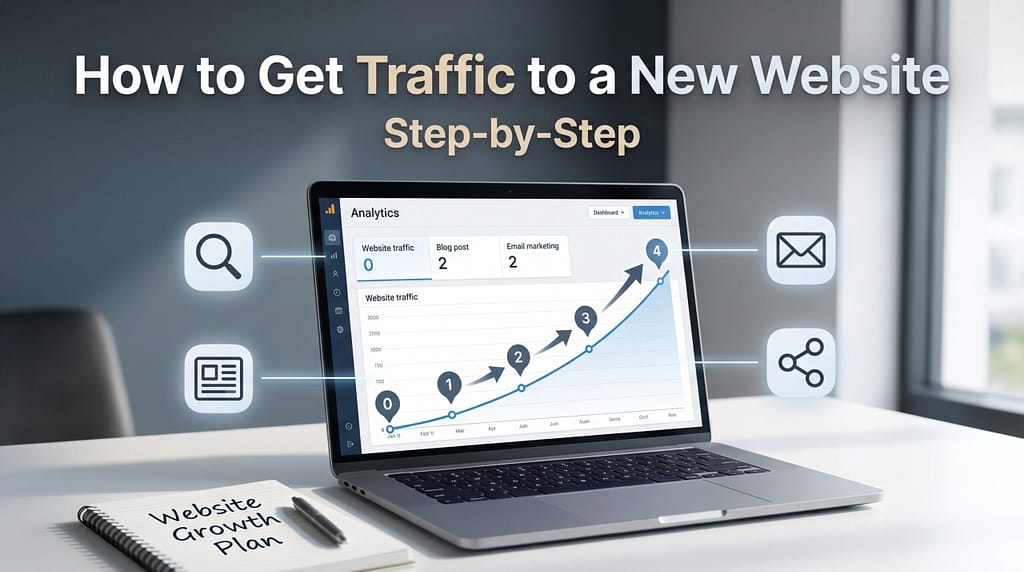
Launching a new website is exciting. You’ve chosen a topic, created your pages, and started publishing content. But after all that work, you may notice something frustrating: hardly anyone is visiting.
If that sounds familiar, you’re not alone.
Getting traffic to a new website takes more than publishing a few articles and waiting for visitors. Search engines need to discover your content, readers need a reason to visit, and your website needs a strategy for attracting the right audience.
The good news is that you don’t need a large advertising budget or thousands of social media followers to start building traffic.
You need a practical plan, useful content, and the patience to improve your approach as you learn what works.
In this beginner-friendly guide, you’ll learn how to:
- Identify the audience you want to attract.
- Find topics people are actively searching for.
- Create content that answers real questions.
- Make your website easier for search engines to discover and understand.
- Promote your content without relying entirely on paid advertising.
- Measure your progress and improve your traffic strategy over time.
The goal isn’t simply to attract more visitors. It’s to attract people who are genuinely interested in what your website offers.
Whether you’re building a blog, affiliate marketing website, or small business website, these steps will help you develop a realistic foundation for long-term traffic growth.
Why New Websites Struggle to Get Traffic
One of the biggest surprises for new website owners is how slowly traffic can develop.
You might publish several helpful articles, optimize your pages, and submit your sitemap to Google, only to discover that very few people are finding your content.
That doesn’t necessarily mean you did something wrong.
New websites often face several challenges that take time and consistent effort to overcome.
1. Search Engines Need to Discover Your Content
Before a page can appear in Google search results, Google generally needs to discover it, crawl it, and determine whether to index it.
This process isn’t always immediate.
Even after a page is indexed, there’s no guarantee it will rank prominently for the keywords you’re targeting.
You can help search engines discover your content by:
- Creating a clear website structure.
- Linking between relevant pages and articles.
- Submitting an XML sitemap through Google Search Console.
- Making sure important pages aren’t accidentally blocked from indexing.
These steps support discoverability, but they don’t guarantee indexing or rankings.
2. Established Websites Often Have Advantages
When your website is new, you’re competing against websites that may have been publishing helpful content for years.
Established websites often have larger content libraries, relevant backlinks, recognizable brands, and existing audiences.
That doesn’t mean a beginner can’t compete.
It means choosing realistic topics is especially important.
Instead of immediately targeting broad searches like how to make money online, a new website might focus on a more specific topic such as how to start an affiliate blog with no experience.
Specific topics provide opportunities to answer readers’ questions more thoroughly and serve audiences broader articles may overlook.
3. Your Website May Not Have Enough Helpful Content Yet
A website with only a handful of articles may not answer enough related questions to attract a consistent audience.
For example, a beginner-focused website about affiliate marketing might publish articles covering:
- How affiliate marketing works.
- How to choose a website niche.
- How to research keywords.
- How to write helpful blog posts.
- How to attract visitors through SEO.
Together, these articles create a more useful learning experience than several unrelated posts.
This approach is often called building a content cluster.
The purpose isn’t simply to publish more articles. It’s to create a connected collection of useful resources around topics your audience cares about.
4. Your Content May Be Targeting Difficult Keywords
Not every keyword offers the same opportunity.
Some search results are dominated by established publishers, major brands, or highly specialized websites.
A new website may struggle to compete for those searches, particularly when its content doesn’t offer anything meaningfully different.
That’s why keyword research matters.
By examining search intent, competing pages, and the questions readers are asking, you can identify topics that better match your website’s current strengths.
5. People May Not Know Your Website Exists
Search engines aren’t the only way people discover websites.
Visitors may also arrive through relevant online communities, social media, email newsletters, referrals, and links from other websites.
If you’re relying entirely on Google from the beginning, you may miss opportunities to introduce your content to people who would genuinely benefit from it.
The key is to promote your website where your intended audience already spends time, without resorting to spam or excessive self-promotion.
What About the Google Sandbox?
You may have heard that Google places new websites into a temporary sandbox that prevents them from ranking well for a certain period.
Although website owners sometimes use this term to describe the difficulty of ranking a new site, Google has not confirmed a universal sandbox system that automatically restricts every new website for a fixed amount of time.
New websites can experience slow traffic growth for many reasons, including competition, indexing delays, limited content, and a lack of established visibility.
There is no guaranteed waiting period after which a new website suddenly begins ranking.
Instead of focusing on your website age, focus on factors you can improve: content usefulness, technical accessibility, keyword selection, internal linking, and relevant promotion.
The Important Takeaway
Slow initial traffic is common, but it isn’t a reason to publish content blindly or wait for search engines to reward your website.
A better approach is to build a clear strategy, measure your progress, and improve your content based on what you learn.
That’s where these steps come in.
Step 1: Identify Your Target Audience
Before you can attract the right visitors to your website, you need to understand who those visitors are and what they’re looking for.
One of the most common mistakes beginners make is trying to create content for everyone.
The problem is that content written for everyone often fails to address anyone’s specific needs.
A better approach is to identify a particular audience and focus on helping them solve relevant problems.
Start With the Purpose of Your Website
Ask yourself a few simple questions:
- What is my website primarily about?
- Who would benefit most from the information I provide?
- What problems or questions does that audience have?
- What would make someone choose my website over another resource?
For example, imagine you’re building a website about camping.
Instead of trying to reach every outdoor enthusiast, you might focus on people who are planning their first camping trip.
That audience may be searching for information about choosing a tent, finding affordable equipment, preparing meals outdoors, or avoiding common beginner mistakes.
Understanding those needs gives you a clearer direction for creating useful content.
Identify the Problems Your Audience Wants to Solve
People frequently search online because they need an answer, want to learn something, or are comparing possible solutions.
Your job is to understand those needs and create content that addresses them.
Consider a website focused on affiliate marketing for beginners.
Its audience might ask questions such as:
- How does affiliate marketing work?
- Can I start without previous experience?
- How do I choose a profitable niche?
- How do I find keywords for my articles?
- How can I get traffic without paying for advertising?
Each question represents a potential content opportunity.
The more you understand your audience’s challenges, the easier it becomes to identify topics worth researching.
Create a Simple Audience Profile
You don’t need expensive marketing software or a detailed customer persona to get started.
A basic audience profile is enough.
For example:
Website topic: Affiliate marketing
Target audience: Beginners interested in building an online business
Experience level: Little or no previous experience
Primary goals: Learn the fundamentals, build a website, attract visitors, and explore monetization opportunities
Common challenges: Limited technical knowledge, uncertainty about where to begin, and difficulty choosing effective strategies
Preferred content: Clear explanations, practical tutorials, realistic examples, and step-by-step instructions
This simple profile can help you decide which articles to publish and how to explain unfamiliar concepts.
Treat it as a starting hypothesis, not a permanent description of every visitor. As you receive feedback and learn which content attracts readers, refine your understanding of the audience.
Match Your Content to Your Audience’s Experience
A beginner searching for how to start a blog probably doesn’t need an advanced technical explanation of server architecture.
They need clear guidance about choosing a platform, setting up a website, and publishing their first article.
Similarly, someone researching affiliate marketing for the first time may benefit more from a straightforward explanation than a complicated discussion of conversion optimization.
Your content should meet readers where they are.
That means:
- Explaining unfamiliar terms.
- Using examples that relate to their goals.
- Breaking complicated processes into manageable steps.
- Avoiding unnecessary jargon.
- Providing practical next steps.
Helpful content begins with understanding the reader, not simply choosing a keyword.
Your Action Step
Before moving on, write down three things:
- Your audience: Who are you trying to help?
- Their biggest challenges: What problems are they trying to solve?
- Their goals: What would they like to accomplish?
Then list five questions those readers might search for online.
You now have the beginning of a focused content strategy—and a useful starting point for keyword research.
Step 2: Find Keywords Your Audience Is Searching For
Once you understand your target audience, the next step is discovering what they’re searching for online.
This is where keyword research becomes important.
Keywords are the words and phrases people enter into search engines when looking for information, products, or solutions.
By researching those searches, you can identify topics that match your audience’s interests and create content that answers their questions.
However, finding keywords isn’t simply about choosing phrases with the highest search volume.
For a new website, relevance, search intent, and realistic competition are often more useful starting points.
Start With Questions Your Audience Is Asking
Think about the problems you identified in Step 1.
What would someone type into Google when trying to solve those problems?
For example, a website helping beginner campers might research searches such as:
- What camping gear do beginners need?
- How do you choose your first tent?
- What should you pack for a weekend camping trip?
- How do you cook while camping?
- What are common camping mistakes?
Each question could become the foundation for a helpful article.
Start with real audience needs rather than choosing topics simply because they sound interesting.
Look for Specific, Relevant Keywords
Broad keywords such as camping, blogging, or affiliate marketing often cover many different interests and can be highly competitive.
More specific phrases may provide clearer opportunities.
For example:
Broad keyword: camping gear
More specific keyword: essential camping gear for beginners
Broad keyword: website traffic
More specific keyword: how to get traffic to a new website
These more specific phrases are often called long-tail keywords.
Long-tail keywords aren’t easy to rank for, but they frequently communicate a more specific need.
That makes it easier to understand what the reader wants from your content.
Use Free Resources to Discover Keyword Ideas
You don’t need to purchase an expensive SEO tool to begin researching topics.
Several free resources can help you explore what people are searching for.
Google Search Suggestions
Start typing a relevant phrase into Google and examine the suggested searches.
These suggestions can reveal related topics and different ways people describe their questions.
People Also Ask
When Google displays a People Also Ask section, examine the questions related to your topic.
These can help you identify useful subtopics or questions to address within an article.
Google Trends
Google Trends helps you compare the relative popularity of search topics and identify seasonal interest.
Remember that its numbers represent relative search interest, not exact monthly search volumes.
Google Search Console
If your website already receives search impressions, Search Console can show which queries are causing your pages to appear in Google results.
This information can help you identify topics worth expanding or existing articles that could benefit from improvement.
You can also use keyword research tools to explore additional ideas, but no single tool provides a complete or perfectly accurate picture of search demand.
Check Search Intent Before Choosing a Topic
Search intent describes what someone hopes to accomplish when entering a query.
For example, someone searching for how to choose a camping tent probably wants guidance.
Someone searching for best beginner camping tents may want comparisons and recommendations.
Those searches are related, but they serve different purposes.
Before selecting a keyword, search for it yourself and examine the results.
Ask:
- What kinds of pages appear?
- Are readers looking for instructions, comparisons, or product information?
- Can I create content that genuinely satisfies that need?
- Does this topic fit my website and target audience?
Choosing a relevant keyword with clear intent is generally more useful than pursuing a popular phrase that doesn’t match your content.
Choose One Primary Topic for Each Article
After collecting several keyword ideas, select one main topic for your next article.
You can naturally include related phrases, examples, and questions throughout the content.
You don’t need to create a separate article for every slight variation of a keyword.
For example, an article about essential camping gear for beginners might also answer questions about beginner camping checklists, affordable equipment, and what to pack.
If a related search has a substantially different purpose, it may deserve its own article.
The goal is to create a useful resource around a clear topic rather than forcing multiple unrelated keywords into one page.
Your Action Step
Choose one of the audience questions you identified in Step 1.
Then:
- Write down five to ten related keyword ideas.
- Look at the Google results for your strongest candidates.
- Identify what readers are trying to accomplish.
- Consider whether your website can provide a genuinely helpful answer.
- Select one primary topic for your next article.
You now have a topic grounded in what your audience is searching for.
Want a more detailed walkthrough? Read my Keyword Research for Beginners: A Step-by-Step Guide to Finding Topics That Rank for a complete process covering keyword ideas, search intent, competition, and topic selection.
Step 3: Create Helpful Content That Answers Search Intent
Finding a promising keyword is an important first step, but a keyword alone won’t bring visitors to your website.
You also need content that satisfies the reason someone searched for that topic in the first place.
This is where search intent and content quality work together.
Your goal is to create articles that answer real questions, explain concepts clearly, and help readers accomplish something meaningful.
Understand What the Reader Expects
Before writing, look at the search results for your chosen topic.
Pay attention to the types of pages appearing near the top.
Are they:
- Step-by-step tutorials?
- Beginner-friendly explanations?
- Product comparisons?
- Checklists or resource guides?
- Answers to specific questions?
For example, someone searching for how to set up a camping tent probably expects practical instructions.
An article discussing the history of tent manufacturing wouldn’t satisfy that need, even if it mentioned the same keywords.
Your content should match the reader’s purpose, not simply contain the words they searched for.
Create an Outline Before Writing
A simple outline helps you organize information logically and avoid unnecessary repetition.
Start with the main question your article needs to answer.
Then identify the supporting questions readers are likely to have.
For example, an article about choosing a beginner camping tent might include:
- What size tent do you need?
- How many people will use it?
- Which tent features matter most?
- How much should a beginner spend?
- What common mistakes should you avoid?
These questions can become the main sections of your article.
A clear outline makes the writing process easier and helps readers find the information they need.
Focus on Useful Information, Not Article Length
Longer articles aren’t automatically better articles.
Some questions require detailed explanations, while others can be answered effectively in a few paragraphs.
Instead of aiming for a particular word count, ask whether your content provides enough information to solve the reader’s problem.
Helpful articles often include:
- Clear explanations of unfamiliar concepts.
- Practical examples.
- Step-by-step instructions when appropriate.
- Honest comparisons and limitations.
- Answers to common follow-up questions.
- Specific actions readers can take.
Avoid adding unnecessary sections simply to make an article longer.
Every section should contribute something useful.
Add Original Value Whenever Possible
Search engines can find many pages covering similar topics.
Giving readers a reason to choose your content means offering something genuinely helpful.
Depending on the subject, that might include:
- Personal experience using a product or following a process.
- Original photographs or screenshots.
- Examples from a project you’ve completed.
- A practical checklist based on real experience.
- Clear explanations of common mistakes.
- Insights that help beginners make better decisions.
You don’t need to be the world’s leading expert to create useful beginner content.
However, you should be accurate about your experience, verify factual claims, and avoid presenting assumptions as firsthand knowledge.
Original value comes from helping readers understand or accomplish something—not simply rewriting information found elsewhere.
Make Your Content Easy to Read
Even useful information can be difficult to follow when it’s presented as one large block of text.
Improve readability by using:
- Descriptive headings and subheadings.
- Short paragraphs where appropriate.
- Bullet points for related ideas.
- Numbered instructions for processes.
- Examples that clarify complicated concepts.
- Relevant images when they genuinely help.
Write in a natural, conversational style that fits your audience.
Explain technical terms when necessary, but don’t make simple ideas more complicated than they need to be.
Use Keywords Naturally
Your primary keyword should help define the article’s topic, but it shouldn’t control every sentence.
Include relevant terms where they fit naturally, especially in the title, introduction, and appropriate headings.
Avoid repeating the same phrase simply to reach a particular keyword density.
Search engines increasingly evaluate content in context, so clear explanations and comprehensive topic coverage matter more than mechanically repeating keywords.
A useful article may rank for several related searches without deliberately targeting each phrase.
Connect Readers to Related Resources
Not every article needs to answer every possible question.
When another page on your website provides a useful explanation, link to it naturally.
For example, an article about starting a website might link to separate guides covering:
- Choosing website hosting.
- Understanding keyword research.
- Writing search-friendly blog posts.
- Building a content strategy.
These internal links help readers continue learning and make related content easier for search engines to discover.
Use descriptive link text so readers understand what they’ll find when they click.
Your Action Step
Take the primary topic you selected in Step 2 and create a basic article outline.
Before writing, confirm that you can answer these questions:
- What does the reader want to accomplish?
- What information do they need first?
- Which supporting questions should the article answer?
- What practical examples or original insights can I provide?
- What should the reader understand or be able to do after finishing?
Once your outline is complete, write the article with the reader’s needs as your priority.
For a more detailed writing process, see my How to Write Blog Posts That Actually Rank (2026 Beginner Guide). It explains how to organize, write, and optimize helpful blog content from beginning to end.
Step 4: Make Your Website Easy for Search Engines to Discover
Creating helpful content is essential, but search engines also need to be able to find and access your pages.
This is where basic technical SEO becomes important.
Technical SEO involves making sure your website is organized, accessible, and structured in ways that help search engines discover and understand your content.
You don’t need to become a technical expert to handle the fundamentals.
A few practical checks can help you avoid common problems that prevent new websites from appearing in search results.
Set Up Google Search Console
Google Search Console is a free tool that helps you understand how Google discovers and displays your website in search results.
It can show you:
- Which pages Google has indexed.
- Whether Google encounters certain crawling or indexing problems.
- Which search queries generate impressions and clicks.
- How your pages perform in Google Search over time.
To get started:
- Visit Google Search Console.
- Add your website as a property.
- Complete the ownership verification process.
- Check the indexing reports for potential issues.
- Review your search performance periodically.
Search Console won’t automatically improve your rankings, but it provides valuable information about your website’s visibility.
Submit Your XML Sitemap
An XML sitemap is a file that lists URLs you want search engines to know about.
Many WordPress SEO plugins automatically generate one.
For example, your sitemap might be located at:
https://yourwebsite.com/sitemap_index.xml
The exact address depends on your website’s configuration.
Once you’ve located your sitemap, you can submit its URL through the Sitemaps section of Google Search Console.
Submitting a sitemap helps Google discover eligible URLs, but it doesn’t guarantee that every page will be crawled or indexed.
Make Sure Important Pages Can Be Indexed
Sometimes a website unintentionally prevents search engines from indexing its content.
If you’re using WordPress, check:
Settings → Reading → Search engine visibility
Make sure the option labeled Discourage search engines from indexing this site is not selected if you want your public website to appear in search results.
Also review individual pages when necessary.
SEO plugins may provide settings that allow you to mark specific pages as noindex.
This can be useful for certain pages, but accidentally applying it to an important article can prevent that page from appearing in search results.
Remember that removing a restriction makes a page eligible for indexing; it doesn’t guarantee Google will index it.
Create a Clear Website Structure
A well-organized website helps visitors and search engines understand how your content fits together.
For a beginner-focused website, that might mean organizing articles into categories such as:
- Website Building
- SEO and Traffic
- Affiliate Marketing
- Tools and Resources
Each category should represent a meaningful group of related content.
Avoid creating numerous overlapping categories that make navigation confusing.
Your goal is to help readers move naturally between your homepage, topic categories, and individual articles.
Strengthen Your Internal Linking
Internal links connect one page of your website to another.
They help readers discover related information and give search engines additional paths for finding your content.
For example, a guide about attracting website traffic might link to articles explaining keyword research, content writing, and search engine optimization.
When adding internal links:
- Link to genuinely relevant pages.
- Use descriptive anchor text.
- Place links where they help the reader.
- Make sure important articles aren’t isolated from the rest of your website.
- Avoid adding unnecessary links simply to increase the number on a page.
A small network of useful, related articles is more valuable to readers than a confusing collection of unrelated links.
Check Mobile Usability and Page Performance
Many visitors browse websites using smartphones.
Your website should be comfortable to use on smaller screens.
Check that:
- Text is easy to read without zooming.
- Navigation menus work properly.
- Buttons and links are easy to tap.
- Images fit the screen.
- Important content loads reliably.
You can also use Google PageSpeed Insights to identify performance issues.
Pay particular attention to unnecessarily large images, excessive scripts, and layout shifts that make pages difficult to use.
A perfect performance score isn’t required, but a fast, stable, usable website creates a better experience for visitors.
Use HTTPS and Keep Your Website Maintained
Your website should use HTTPS to protect information transmitted between visitors and the site.
Most reputable hosting providers offer SSL/TLS certificates.
For WordPress websites, also keep your core software, themes, and plugins updated.
Regular backups and basic security maintenance help reduce the risk of problems that could interrupt access to your content.
These practices support a reliable website, but they aren’t substitutes for a strong content strategy.
If you’d like to explore how these technical foundations fit into a broader SEO strategy, read my guide, SEO for Affiliate Marketing: A Beginner’s Step-by-Step System. Although it’s written with affiliate marketers in mind, many of the SEO principles apply to other types of websites as well.
Your Action Step
Before publishing more articles, complete this basic technical SEO checklist:
- Confirm that Google Search Console is connected.
- Locate and submit your XML sitemap.
- Check that important pages aren’t blocked from indexing.
- Review your website’s navigation and categories.
- Add relevant internal links between related articles.
- Test your website on a mobile device.
- Check that HTTPS is working correctly.
You don’t need to solve every technical issue immediately.
Start with problems that prevent people or search engines from accessing your content, then improve other areas as your website grows.
The goal of technical SEO is to remove unnecessary obstacles—not to replace helpful content with technical tricks.
Step 5: Promote Your Content Without Relying on Paid Advertising
Publishing a helpful article is an important accomplishment, but your work doesn’t necessarily end when you click the Publish button.
Even excellent content can go unnoticed when people don’t know it exists. That’s why content promotion should be part of your website traffic strategy.
The goal isn’t to share your links everywhere or chase visitors who have no interest in your topic. But to introduce useful content to people who are likely to benefit from it.
You can start doing that without buying ads.
Share Your Content Where Your Audience Spends Time
Think back to the target audience you identified in Step 1.
Where do those people look for information, ask questions, or discuss their interests?
Depending on your niche, they might participate in:
- Facebook groups.
- Reddit communities.
- Online discussion forums.
- Professional networking communities.
- Specialized hobby or industry groups.
For example, someone running a beginner camping website might participate in communities where people discuss equipment, trip planning, and outdoor safety.
Instead of immediately posting article links, begin by answering questions and contributing useful information.
When a relevant article adds detail, sharing it may be appropriate if the community rules allow self-promotion.
Focus on being helpful first. A relevant link should support the conversation, not replace a useful answer.
Choose Social Media Platforms Strategically
You don’t need to maintain an active presence on every social media platform.
Choose one or two platforms that fit your audience and the type of content you create.
For example:
- Pinterest: Can be useful for visual guides, checklists, recipes, and other topics people save for later.
- YouTube: Can support tutorials, demonstrations, and educational content.
- Facebook: May help you participate in relevant communities and share updates with interested followers.
- LinkedIn: May be appropriate for professional, business, and industry-focused topics.
The best platform depends on your audience, not simply which network has the most users.
Start with one platform you can use consistently and evaluate whether it brings relevant visitors to your website.
Repurpose Articles Into Smaller Pieces of Content
You don’t need to create completely new material for every promotional channel.
A detailed article may contain several useful ideas that can become shorter pieces of content.
For example, an article about beginner camping equipment could become:
- A short checklist.
- A simple infographic.
- A brief instructional video.
- A social media post highlighting common mistakes.
- A discussion question for a relevant community.
Each piece should provide value on its own while giving interested readers a reason to explore the full article.
This approach helps you make better use of the research and writing you’ve already completed.
Build an Email List Over Time
Email can become a valuable source of returning visitors.
Unlike relying entirely on search engines or social media algorithms, an email list gives you a way to communicate with people who have chosen to hear from you.
You might invite readers to subscribe for:
- New beginner tutorials.
- Helpful checklists.
- Practical tips.
- Updates to existing guides.
- Relevant resources related to your website’s topic.
Make the subscription offer clear and obtain appropriate consent.
You don’t need a complicated email marketing system on your first day.
A simple newsletter can grow alongside your website.
Look for Relevant Collaboration Opportunities
Other website owners, creators, and organizations may serve audiences similar to yours.
Relevant collaborations can introduce your work to people who haven’t discovered your website yet.
Possible opportunities include:
- Contributing an original guest article to a reputable website.
- Participating in an interview or podcast.
- Collaborating on a helpful resource.
- Sharing expertise with a relevant community or organization.
- Earning editorial mentions when your content provides useful information.
Choose opportunities based on relevance and genuine value.
Avoid purchasing questionable backlinks, participating in link-exchange schemes, or creating low-quality guest posts solely to manipulate search rankings.
A useful collaboration should benefit the audience even if it doesn’t produce a backlink.
Create a Simple Promotion Routine
Consistency matters more than trying every promotion method at once.
After publishing an article, consider following this routine:
- Share it through one relevant platform or community where permitted.
- Create one additional piece of content based on the article.
- Add internal links from existing articles where appropriate.
- Include it in your next newsletter if you have subscribers.
- Review whether the promotion generates useful engagement or visits.
Not every article will receive immediate attention.
Treat promotion as an ongoing process of reaching the right people and learning which channels work for your audience.
If you’re looking for additional ways to attract visitors without paying for advertising, explore my guide, Free Traffic for Affiliate Marketing: 15 Strategies That Actually Work in 2026. Although the examples focus on affiliate marketing, many of these traffic-building methods can also help bloggers and other website owners reach their target audiences.
Your Action Step
Choose one article you’ve already published.
Then identify:
- One online platform where your target audience spends time.
- One helpful piece of content you can create from the article.
- One relevant opportunity to share or discuss the topic.
- One way to measure whether your efforts attract interested visitors.
Start with those actions before expanding to additional channels.
Remember: sustainable traffic comes from earning attention and providing value—not repeatedly posting links wherever you can.
Step 6: Measure Your Traffic and Improve What Works
Once you’ve started publishing and promoting content, the next step is understanding what’s working.
Without measuring your results, it’s difficult to know whether your traffic strategy is moving in the right direction.
Fortunately, you don’t need complicated reports or advanced analytics skills to begin.
A few basic measurements can help you identify promising content, recognize problems, and make better decisions about what to improve next.
Start With Google Search Console
Google Search Console is one of the most useful free tools for understanding how your website performs in Google Search.
Its Performance report provides several important measurements:
- Impressions: How often your pages appeared in eligible Google Search results.
- Clicks: How many times people clicked through to your website from those results.
- Click-through rate (CTR): The percentage of impressions that resulted in clicks.
- Average position: The average ranking position of your website’s results across the searches included in the report.
These measurements help you understand whether your content is becoming more visible in search results.
For example, an article might begin receiving impressions before it attracts many clicks.
That can indicate Google is showing the page for certain searches, even if the article isn’t yet receiving substantial search traffic.
However, impressions and average position should be interpreted in context. They don’t guarantee future traffic or rankings.
Understand Your Website Visitors With Analytics
Google Analytics 4 (GA4) can provide additional information about how visitors find and interact with your website.
Depending on your setup and reporting configuration, you can examine:
- Which traffic channels bring visitors to your website.
- Which pages attract the most attention.
- How visitors engage with your content.
- Whether visitors complete important actions.
For example, you might discover that a beginner tutorial attracts visitors from Google while a checklist receives more traffic from Pinterest.
That information can help you understand which content and promotion methods are connecting with your audience.
You don’t need to study every available report.
Start with a few measurements that relate directly to your website’s goals.
Focus on Meaningful Progress
A common beginner mistake is checking traffic numbers constantly and becoming discouraged by small daily changes.
Traffic can fluctuate for many reasons, especially when a website receives relatively few visitors.
Instead of reacting to every increase or decrease, look for patterns over longer periods.
Consider questions such as:
- Are more of my pages receiving search impressions?
- Which articles are beginning to attract visitors?
- What topics appear to generate the most interest?
- Which traffic sources bring engaged readers?
- Are visitors taking useful actions after arriving?
The answers can be more valuable than simply watching your total visitor count.
Improve Articles That Show Potential
You don’t always need to publish something new to grow your website.
Sometimes improving an existing article is the better next step.
For example, suppose an article is receiving search impressions but very few clicks.
You might review its title and meta description to see whether they clearly communicate what the article offers.
If an article attracts visitors but doesn’t fully answer their questions, consider improving its explanations, examples, or organization.
You might also:
- Update outdated information.
- Add missing answers to relevant questions.
- Improve confusing headings.
- Replace broken links.
- Add helpful internal links.
- Improve images or page usability.
Make changes based on a clear reason rather than rewriting content simply because traffic is temporarily low.
Remember that Google may generate search-result titles and descriptions differently from the ones you provide, so changing metadata doesn’t guarantee a higher click-through rate.
Identify Topics Worth Expanding
Your existing content can also help you discover future article ideas.
For example, imagine your website has an article about choosing camping equipment.
Search Console might reveal that readers are finding it through searches related to camping tents, sleeping bags, and beginner packing lists.
Some of those questions may be worth addressing more thoroughly.
You could expand the original article or create a separate supporting guide when the search intent justifies it.
This is one way to build a connected collection of useful content around your audience’s interests.
Avoid creating multiple articles that answer essentially the same question without providing a meaningful difference.
Create a Simple Monthly Traffic Review
You don’t need to spend hours analyzing your website every day.
A monthly review can provide a useful starting routine.
Once a month:
- Open Google Search Console and review your search impressions and clicks.
- Identify pages gaining visibility or attracting visitors.
- Check whether any important pages have indexing problems.
- Review your main traffic sources in your analytics platform.
- Choose one existing article that could benefit from improvement.
- Record one or two practical actions for the coming month.
Compare similar time periods when possible, and remember that seasonal interest can influence traffic.
Over time, these reviews can help you make more informed content decisions.
Your Action Step
Choose three measurements to track consistently.
For a beginner website, a practical starting point is:
- Total organic search clicks.
- Total organic search impressions.
- The articles receiving the most organic search traffic.
Record your starting numbers, then review them again after approximately one month.
You may not see dramatic changes immediately, and that’s okay.
The purpose of measuring traffic isn’t to chase numbers. It’s to understand your audience, recognize useful opportunities, and make your website better over time.
How Long Does It Take to Get Traffic to a New Website?
One of the most common questions new website owners ask is: How long will it take before people start visiting my website?
The answer depends on several factors, including your niche, competition, content quality, promotion methods, and how people discover your website.
Some websites begin receiving visitors shortly after launching through direct referrals, social media, or online communities.
Organic search traffic, however, can take longer to develop.
There is no universal timeline that guarantees when a new website will begin attracting consistent visitors.
Why Traffic Growth Takes Time
Search engines need to discover and evaluate your pages, and your content must compete with other resources addressing similar topics.
New websites may also have limited content, few relevant backlinks, and little existing audience awareness.
These challenges can make early growth slow or inconsistent.
However, publishing more articles doesn’t automatically solve the problem.
A smaller collection of genuinely helpful, well-organized content can be more valuable than a large collection of rushed or repetitive posts.
What Can Influence How Quickly Traffic Develops?
Several factors can affect your progress:
- Keyword competition: Highly competitive searches may be difficult for a new website to rank for.
- Search intent: Content that clearly answers the reader’s question is better positioned to satisfy their needs.
- Content usefulness: Accurate, practical, original information gives visitors a reason to engage with your website.
- Technical accessibility: Search engines must be able to discover and access your important pages.
- Internal linking: Relevant links help connect your articles and make related resources easier to discover.
- Promotion: Sharing useful content through appropriate channels can introduce your website to visitors before search traffic develops.
- Consistency: Regularly publishing and improving worthwhile content helps you build a more complete resource over time.
None of these factors guarantees a particular ranking or traffic level, but together they support a more sustainable approach.
Focus on Milestones Instead of Deadlines
Rather than expecting a certain number of visitors after 30, 60, or 90 days, track meaningful progress.
For example:
Milestone 1: Your important pages are accessible and eligible for indexing.
Confirm that your website is properly configured and that search engines can discover your content.
Milestone 2: Your articles begin receiving search impressions.
Impressions indicate that your content is appearing in eligible search results, even if clicks remain limited.
Milestone 3: You begin attracting relevant visitors.
Look for visits from people interested in your topics, whether they arrive through search engines, referrals, or other channels.
Milestone 4: You identify content that consistently attracts attention.
Use performance data to understand which topics and articles connect with your audience.
Milestone 5: You improve and expand what works.
Build on successful topics, strengthen internal links, and update content when there’s a clear reason to do so.
These milestones provide a more useful way to evaluate progress than relying on arbitrary traffic deadlines.
Avoid Comparing Your Website to Someone Else’s Results
It’s easy to become discouraged when another website owner reports thousands of visitors within a short period.
But websites rarely begin under identical conditions.
Some creators already have established audiences, industry connections, existing websites, or substantial marketing budgets.
Others begin with no audience and limited resources.
Comparing traffic numbers without understanding those differences can create unrealistic expectations.
Instead, compare your website’s performance with its own earlier results.
The Important Takeaway
Building traffic to a new website is a process of creating useful content, helping people discover it, and improving your approach based on real information.
You may experience periods of slow growth, unexpected increases, or temporary declines.
That’s normal in a process influenced by competition, audience behavior, and search engine changes.
Don’t measure success only by how quickly traffic arrives. Measure whether you’re building a website that becomes more useful, discoverable, and valuable to your intended audience.
Common Mistakes That Keep New Websites From Getting Traffic
Building traffic takes effort, but some common mistakes can make the process more difficult than it needs to be.
Fortunately, many of these problems are avoidable.
Understanding what to watch for can help you use your time more effectively and develop a more sustainable traffic strategy.
1. Publishing Content Without a Clear Audience
Writing about whatever comes to mind may seem productive, but it can leave your website without a recognizable focus.
When your articles address unrelated audiences and problems, readers may struggle to understand what your website offers.
Better approach: Identify your target audience and build content around their questions, interests, and goals.
2. Targeting Keywords That Are Too Competitive
A new website may struggle to compete for broad searches dominated by established publishers and major brands.
Choosing keywords solely because they receive substantial search volume can lead to frustration.
Better approach: Look for relevant, specific topics where you can provide a genuinely helpful answer. Evaluate the actual search results rather than relying entirely on keyword difficulty scores.
3. Creating Content Just to Increase Your Article Count
Publishing frequently isn’t automatically a successful traffic strategy.
A website filled with rushed, repetitive, or incomplete articles may offer little value to visitors.
Better approach: Prioritize useful content that answers real questions. Improve existing articles when doing so would benefit readers instead of constantly adding new posts.
4. Ignoring Search Intent
An article can contain the right keywords while still failing to address what the searcher wants.
For example, someone looking for a product comparison may not be satisfied with an article that only explains the product category.
Better approach: Examine the search results and identify the information readers expect before outlining your article.
5. Neglecting Internal Links
Publishing articles without connecting related pages can make it harder for visitors to discover additional resources.
Important content may also become difficult for search engines to find through your website’s internal navigation.
Better approach: Add relevant contextual links between articles that naturally support one another. Use descriptive anchor text and avoid unnecessary linking.
6. Relying Entirely on One Traffic Source
Organic search can be valuable, but relying exclusively on Google leaves your website dependent on a single discovery channel.
Search visibility can change, and some topics may attract interested audiences through other platforms.
Better approach: Explore one or two additional channels that fit your audience, such as relevant communities, email newsletters, or appropriate social platforms.
7. Promoting Content in the Wrong Places
Sharing links repeatedly in unrelated communities rarely creates meaningful engagement and may violate platform rules.
Even when those links generate visits, the visitors may have little interest in your content.
Better approach: Participate in relevant discussions, answer questions, and share your articles only when they genuinely contribute to the conversation and community guidelines allow it.
8. Ignoring Website Usability
Visitors may leave a website that is difficult to navigate, slow to load, or frustrating to use on a mobile device.
Poor usability can prevent people from benefiting from otherwise helpful content.
Better approach: Keep navigation simple, use readable formatting, optimize unnecessarily large images, and test important pages on different screen sizes.
9. Expecting Immediate Results
New website owners sometimes abandon useful strategies because they don’t see significant traffic within a few weeks.
But search visibility and audience development don’t follow a guaranteed schedule.
Better approach: Set realistic expectations, monitor meaningful milestones, and evaluate progress over time rather than reacting to daily fluctuations.
10. Never Reviewing Existing Content
An article that was useful when published may eventually contain outdated information, broken links, or explanations that could be improved.
Ignoring older content means missing opportunities to make your website more helpful.
Better approach: Review performance data, identify articles with clear improvement opportunities, and update them when the changes will genuinely benefit readers.
A Quick Traffic Strategy Check
Before publishing your next article, ask yourself:
- Does this topic fit my target audience?
- Do I understand what readers are searching for?
- Can I provide a useful and accurate answer?
- Is the content easy to navigate and read?
- Have I connected it to relevant existing resources?
- Do I have an appropriate way to promote it?
- Will I review its performance and improve it when necessary?
You don’t need a perfect strategy from the beginning.
Avoiding these common mistakes and consistently improving your approach can help you build a stronger foundation for long-term website traffic.
Your 30-Day Website Traffic Action Plan
Learning how to attract website visitors is useful, but putting that knowledge into practice is what moves your website forward.
If you’re just getting started, trying every SEO and marketing strategy at once can quickly become overwhelming.
A better approach is to focus on a few meaningful tasks and build from there.
The following 30-day plan gives you a practical starting point.
Important: This is an action plan, not a promise that your website will reach a particular traffic level within 30 days.
Week 1: Build Your Foundation
Start by making sure your website is organized and ready for visitors.
Your tasks:
- Define your target audience and the problems you want to help them solve.
- Identify three to five main topics your website will cover.
- Confirm that Google Search Console is connected.
- Check that important pages are accessible and eligible for indexing.
- Submit your XML sitemap if you haven’t already.
- Review your website’s navigation and mobile usability.
Your goal: Establish a clear website focus and remove obvious technical obstacles.
Week 2: Research and Plan Your Content
Now that your foundation is in place, identify topics worth covering.
Your tasks:
- Brainstorm questions your audience is likely to search for.
- Research five to ten relevant keyword ideas.
- Examine search results to understand intent and competition.
- Select two or three promising article topics.
- Create a simple outline for each article.
- Identify existing articles that could benefit from improvements or internal links.
Your goal: Build a small, focused content plan based on audience needs rather than guesswork.
Week 3: Create or Improve Helpful Content
This week, turn your research into something useful.
Your tasks:
- Publish one well-researched article or substantially improve an existing one.
- Make sure the content answers the reader’s main question.
- Use clear headings, practical examples, and readable formatting.
- Add relevant internal links.
- Review the article on a mobile device.
- Check that the published page loads correctly and isn’t accidentally marked noindex.
If you have time to create more content without sacrificing quality, that’s fine.
But don’t treat publishing a certain number of articles as the definition of success.
Your goal: Produce or improve at least one genuinely useful resource for your audience.
Week 4: Promote, Measure, and Plan Ahead
After publishing, focus on helping people discover your content and learning from the results.
Your tasks:
- Share your article through one appropriate platform or community.
- Create a smaller piece of content based on the article, such as a checklist or short post.
- Review your website’s available Search Console data.
- Check your main traffic sources if you use an analytics platform.
- Identify one improvement you can make to an existing page.
- Choose your next topic based on audience needs and what you’ve learned.
Remember that Search Console data can take time to appear, especially for new websites.
You may not have enough information after one month to identify meaningful trends.
That’s okay.
Your goal: Establish a repeatable routine for publishing, promoting, measuring, and improving content.
What Should You Have Accomplished After 30 Days?
At the end of the month, you should aim to have:
- A clearly defined target audience.
- A basic technical SEO foundation.
- A short list of relevant content topics.
- At least one newly published or meaningfully improved article.
- A simple content promotion routine.
- A way to monitor search visibility and website traffic.
- A practical plan for your next month of work.
You may or may not have received significant traffic during this period.
What matters is that you’ve created a process you can continue using.
Keep Repeating What Works
Website traffic rarely grows because of one isolated action.
It’s usually the result of multiple efforts working together over time.
As you continue, focus on a simple cycle:
Research → Create → Optimize → Promote → Measure → Improve
Use what you learn to make better decisions about future content.
You don’t need to accomplish everything immediately.
Consistent, purposeful improvements are more valuable than rushing through a long list of tasks without understanding why you’re doing them.
Conclusion: Building Traffic Starts With a Sustainable Strategy
Getting traffic to a new website isn’t about discovering one secret technique or finding a shortcut to the top of Google.
It’s about understanding your audience, creating genuinely helpful content, making that content discoverable, and consistently improving your approach.
As we’ve covered throughout this guide, a practical traffic strategy begins with a few important principles:
- Know who you’re trying to reach and what they need.
- Research topics that match their interests and search intent.
- Create useful content that answers real questions.
- Make your website accessible and easy to navigate.
- Promote your content through relevant channels.
- Measure your results and improve what works.
You don’t need to master every aspect of SEO or digital marketing before you begin.
Start with the fundamentals, build your skills as you go, and focus on making your website more valuable to the people you want to help.
Your Next Step
If you’re wondering what to do after reading this guide, start with one simple action:
Choose one question your target audience is searching for and create—or improve—an article that answers it thoroughly.
Research the topic, understand the reader’s intent, organize your content clearly, and provide information that genuinely helps.
Then make sure the article is accessible, connect it to relevant pages on your website, and share it where interested readers are likely to find it.
You can use the 30-day action plan above to organize your next steps.
Remember, meaningful website traffic doesn’t always develop quickly, and no strategy guarantees specific results.
But every useful article, thoughtful improvement, and relevant connection gives you another opportunity to reach the right audience.
Build for the reader first, measure what matters, and keep improving. That’s the foundation of a sustainable website traffic strategy.
Frequently Asked Questions About Getting Traffic to a New Website
You can attract visitors without paying for advertising by publishing helpful, search-focused content, improving your website’s SEO, participating in relevant online communities, sharing useful resources, and building an audience through appropriate social media platforms or email newsletters.
Start with one or two methods that fit your audience rather than trying everything at once.
There is no guaranteed timeline. Some websites begin receiving organic search visits relatively quickly, while others take considerably longer to develop consistent traffic.
Competition, content usefulness, indexing, website structure, and other factors can influence results.
Use Google Search Console to monitor impressions and clicks instead of relying on fixed ranking deadlines.
There is no required number of articles that guarantees traffic.
A smaller collection of thorough, relevant articles can be more useful than dozens of rushed posts.
Focus on answering important audience questions and building a connected library of helpful content. Publish at a pace that allows you to maintain quality.
No. Social media can be a useful promotional channel, but it isn’t required.
Websites can attract visitors through organic search, relevant referrals, email newsletters, and other discovery methods.
Choose channels based on where your audience spends time and what you can manage consistently.
Yes, a new website can rank for some searches without having many external backlinks.
However, competition varies, and backlinks can help search engines discover pages and evaluate their relevance and reputation.
Focus on useful content, appropriate keyword selection, technical accessibility, and genuine opportunities to earn relevant mentions rather than purchasing links or participating in link schemes.
Paid advertising is optional.
It may be appropriate when you have a clear audience, a defined goal, and a budget you can afford to test.
However, beginners can start building traffic through content, SEO, referrals, and other unpaid methods.
Avoid spending money on advertising without understanding how you’ll evaluate the results.
Indexing means a page is eligible to appear in search results; it doesn’t guarantee prominent rankings or clicks.
Your article may target a highly competitive keyword, receive limited search demand, or fail to match what searchers expect.
Review the page’s queries and impressions in Google Search Console, examine the competing results, and consider whether the content genuinely answers the reader’s question.
SEO can be an important long-term traffic strategy, but it isn’t the only way to reach an audience.
Depending on your niche, referrals, community participation, email marketing, and other promotional methods may also be valuable.
A balanced strategy reduces your dependence on any single traffic source.
Start by tracking relevant measurements such as organic search impressions, clicks, traffic sources, and the pages attracting visitors.
Look for meaningful patterns over time rather than reacting to daily fluctuations.
Also consider whether visitors are engaging with your content and taking actions that support your website’s goals.
Start by understanding your audience and creating content that genuinely helps them.
Keyword research, technical SEO, internal linking, and promotion all matter, but they’re most effective when they support useful, relevant content.
The goal isn’t simply to generate visits. It’s to build a website people have a reason to discover, trust, and return to.
Related Articles
Building website traffic involves several connected skills, from choosing the right topics to creating helpful content and improving search visibility.
If you’re ready to take the next step, these guides will help you put the strategies from this article into practice.

Keyword Research for Beginners: A Step-by-Step Guide to Finding Topics That Rank
Learn how to discover keyword opportunities, understand search intent, evaluate competition, and choose topics that fit your website.
How to Write Blog Posts That Actually Rank (2026 Beginner Guide)
Discover how to turn your keyword research into well-organized, helpful articles that address your audience’s questions and support your SEO strategy.

SEO for Affiliate Marketing: A Beginner’s Step-by-Step System
Understand how keyword research, content creation, on-page SEO, and internal linking work together to build a sustainable organic traffic strategy.

Free Traffic for Affiliate Marketing: 15 Strategies That Actually Work in 2026
Explore additional ways to attract relevant visitors without relying entirely on paid advertising, including SEO, content promotion, and audience-building methods.
Keep Building Your Website
You don’t need to master every traffic strategy immediately.
Choose one area where your website could improve, follow the appropriate guide, and put what you learn into practice.
A successful traffic strategy develops through useful content, consistent improvement, and a clear understanding of the people you want to reach.